See detection run live
Every model runs in your browser — upload an image and watch it get linked to an incident in real time. Nothing leaves your device.
The lifecycle of every incident
Every reappearance is logged against its incident, with a timestamp — a complete record of what came back and when.
Open incidents
42
today
Reappearances linked
1,847
across all incidents
New incidents
12
today
Avg time to link
38ms
end-to-end
Live incident feed
LIVE| Incident | Status |
|---|---|
| INC-48210.3s ago | LINKED |
| INC-482012s ago | LINKED |
| INC-48191m ago | LINKED |
| INC-48184m ago | NEW |
| INC-48179m ago | LINKED |
The post-takedown lifecycle
Content removed
A piece of harmful content is reported and taken down from the platform.
Signal captured
Rechase captures a unique signal of the removed content.
Reappearance detected
The same content comes back — modified, re-uploaded, or regenerated. Rechase recognizes it.
Flagged early
Rechase identifies it before it spreads.
Why a simple duplicate check fails
Open an incident with any file. Your platform probably checks for exact duplicates. Change a single pixel and the file no longer looks identical — the same incident comes back looking brand new.
Open an incident
PNG, JPG, WebP — stays on your device
∅
Open an incident to see the comparison.
Every version is the same incident
Drop an image, then rotate it, crop it, watermark it. Each variation is recognized as a reappearance of the same incident — not a new upload.
Drop image to report an incident
This becomes the original incident record
←
Drop an image to start
or use the sample image
Bring your own modification
Modify an image any way you want — Photoshop, phone, AI. Drop both files here.
We don't care how it was modified. We care whether it's the same incident.
Incident A
Original image
The first report of this incident
Incident B — modified anywhere you want
Modified image
Your version — cropped, filtered, AI-upscaled
LEVEL UP
Try to fool it
with AI
Take a portrait, regenerate it with AI — different angle, lighting, background. Drop both here. See if face recognition still finds the same person.
Upload original photo
Drop a portrait photo
Any photo with a visible face
Generate AI variant
Take the photo to ChatGPT, Midjourney, or any AI tool. Use this prompt:
Take the photo shown on the left and recreate it using AI. Keep the same person's identity and appearance, but change: the head angle or pose, the lighting direction, and the background. The result should look like a different photo of the same person taken in a different situation.
ChatGPT (GPT-4o) · Midjourney · Firefly · Grok ↗
Even heavily AI-modified reappearances stay linked
Upscaled, style-transferred, inpainted, deepfaked — every one of these is still recognized as the same underlying incident, not a new one.
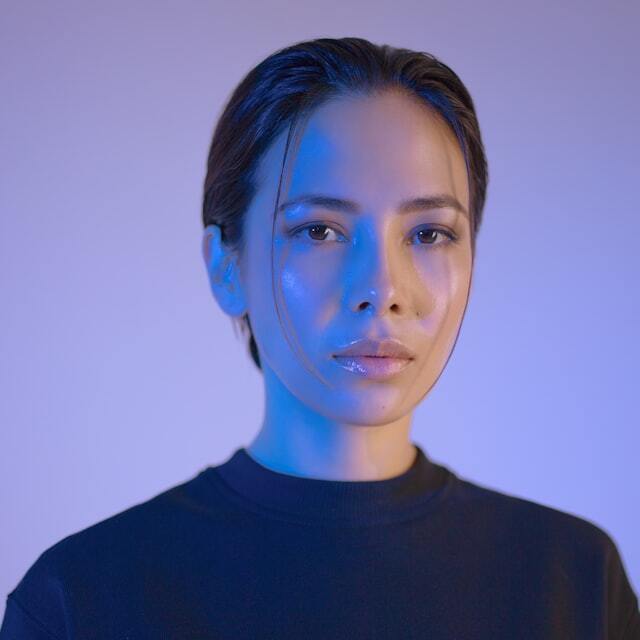
Original upload
opened the incident
AI upscale — 4× resolution boost
recognized as a visual variation
Style transfer — watercolor filter
recognized despite the change
Inpainting — watermark removed
recognized as a visual variation
Background swap — new setting generated
recognized despite the change
Face swap — identity altered via deepfake
recognized despite the change
Color grade — professional LUT applied
recognized as a visual variation
Zero new incidents opened — every AI-modified reappearance was linked back to the original.
Rechase is currently in validation
Built for platforms, Trust & Safety teams, and legal professionals.
[ View live demo ]